Dolibarr module
Klariso Designer
Describe the Dolibarr screen you want in a few words, an AI redesigns it before your eyes, and you publish when you like the result, with one-click rollback.
Checked on Dolibarr 20.0 → 24.0
€79VAT not applicable (French VAT exemption, art. 293 B CGI)Business customers only, with a customer account. Secure payment by Stripe, instant download, updates and support for one year.
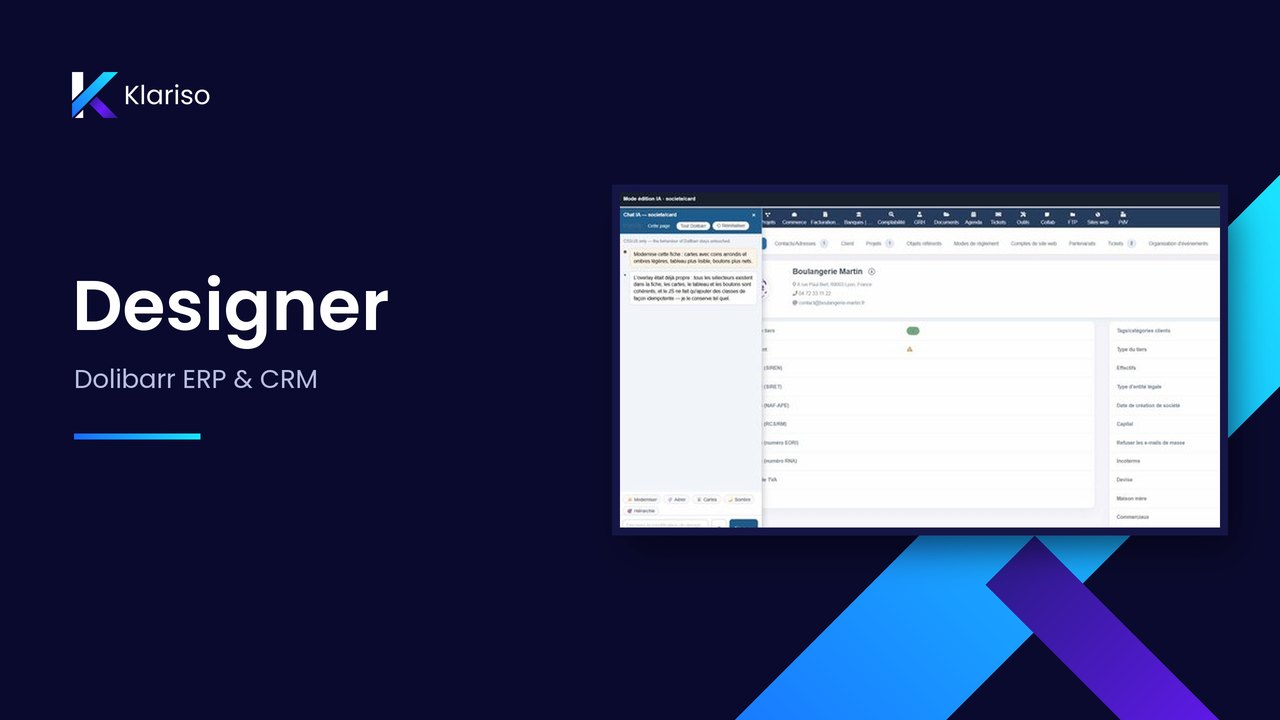
Dolibarr does everything it should, but its screens all look alike and often feel crowded. Until now, changing how they look took a developer and a custom theme, to be redone with every update.
Klariso Designer lets you describe what you want in plain words: "make this card more modern", "give this list more room", "switch the menus to dark". An AI redesigns the screen, you see the result on the real page, and nothing changes for your team until you click "Publish".
What the module gives you
- An edit mode, opened from the Tools menu, that shows a design bar and a conversation next to any Dolibarr page.
- Requests in everyday language, with ready-made shortcuts (Modernise, More space, Cards, Dark, Hierarchy) and a pointer to designate a precise element of the screen.
- Two scopes: the page you are on, or the whole of Dolibarr at once for menus, tables and buttons.
- Every proposal is reviewed by a second AI before you see it: readability, colour contrast, elements that overflow.
- A preview only you can see, then publication for every user, with the version history and a one-click return to any of them.
- Requests build on each other instead of starting from scratch, and every step of the conversation can be restored.
Day to day
- The administrator turns on edit mode, opens the customer card and asks for "clearer cards and an easier-to-read hierarchy". A few moments later, the redesigned card appears.
- They refine it in small touches ("softer shadows", "navy blue headings"), then publish: the whole team sees the new card the next time it loads.
- Your colleagues work as before: buttons, forms and calculations are still Dolibarr's own, only the look changes.
- A tab in the setup lists the modified screens and resets any of them, or all of them, to the original display.
Frequently asked questions
Can Klariso Designer break Dolibarr?
No. The AI can only change how screens look: it cannot submit a form, change page or touch your data. Everything it proposes is checked before it is displayed, and disabling the module immediately gives Dolibarr back its usual display.
Do I need to know how to code?
No. You describe the change as you would explain it to a graphic designer. Shortcuts prefill the most common requests, and you can point at an element of the screen instead of describing it.
Which artificial intelligence does it use?
The one you choose. The module uses the artificial intelligence module built into Dolibarr 20 or later if it is enabled, otherwise an OpenAI-compatible service whose address and key you enter. Use of that service is billed by its provider, not by Klariso.
What information is sent to the AI?
Your request, and an extract of the page displayed at that moment, so the AI knows what it is redesigning. Nothing is sent until you send a request, and only to the service you chose. To show no real data, work on a demonstration record: the result then applies to every record of the same type.
Who sees the changes?
Before publication, only you. After publication, every Dolibarr user. Only users to whom you grant the edit mode permission can propose and publish a new design.